Join or Sign In
Sign in to customize your TV listings
By joining TV Guide, you agree to our Terms of Use and acknowledge the data practices in our Privacy Policy.
What Is a VPN? The 2025 Guide to Private, Secure, and Border-Free Browsing
Wondering what a VPN is? We have the answer. It's time to learn if you need one in 2025.

Disclaimer: When you purchase through links on our site, we may earn an affiliate commission.
In the age where internet access is everywhere, VPNs are a common tool. But, even if you've heard of someone using one, you may wonder: what is a VPN? These virtual private networks allow you to access the internet privately so that your internet service provider (ISP), third-party websites, or any other users can't track you, your location, or your activity.
VPNs are legal in most countries and they're useful for maintaining privacy, especially when browsing the internet in public. However, there are some limitations to how you can use them.
Below, we'll explore more about how VPNs work, when you might want to use them, and any problems or limitations you might face. We'll also recommend four of our favorites.
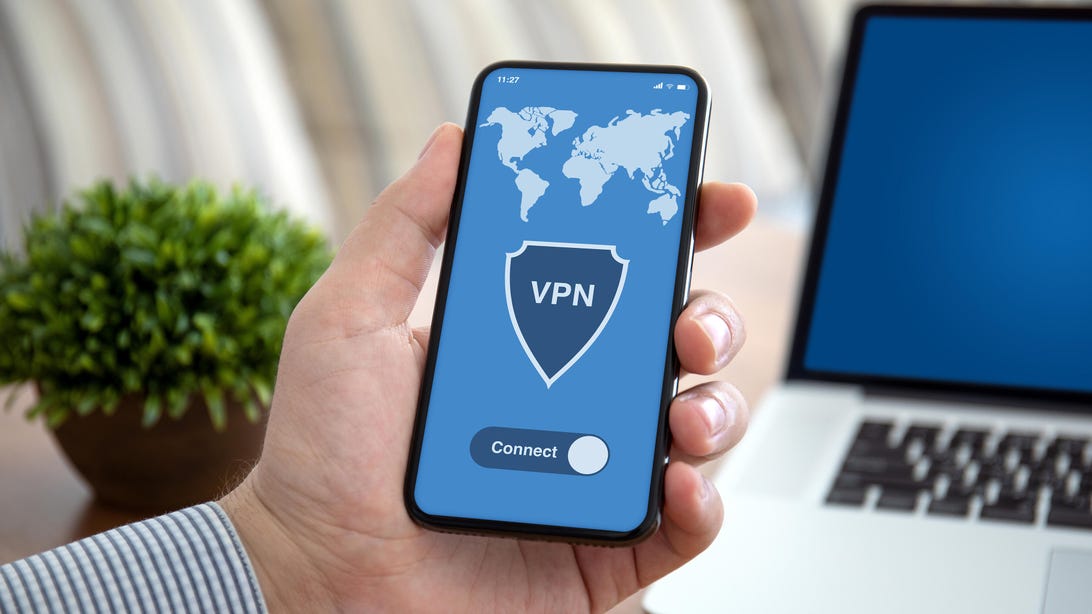
What is a VPN?
Getty ImagesHow Does a VPN Work?
Most people access the internet through an ISP such as Xfinity, Spectrum, AT&T Fiber, or satellite providers like HughesNet. When you connect, your ISP assigns you an IP (Internet Protocol) address — a unique identifier that websites and online services use to track your activity and approximate your location.
When you use a VPN, your internet traffic is encrypted and routed through a secure server operated by the VPN provider — which could be in another city or country. This means websites and your ISP no longer see your actual IP address. Instead, they see the IP address of the VPN server, keeping your real location and activity private.
In short, a VPN helps shield your browsing habits from your ISP and prying eyes online by masking your IP address and encrypting your data. It's a simple way to enhance your privacy — especially when using public Wi-Fi or trying to access region-restricted content.
What Are VPNs Used For?
There are many use cases for VPNs, but here are some of the most common reasons somebody would need one.
Privacy
Probably the most common use of a VPN is to protect your privacy online. With a VPN, your ISP and most third-party websites won't be able to track your activity as easily.
For example, without a VPN, if you're shopping for a new PC online, you'll soon begin to see ads for other types of computer components, laptops or tablets. This happens because your IP address has shown up in searches for PCs.
These sites may infer, based on your activity or data tied to your IP address, that you searched for specific computer mice, keyboards, and monitors. With that information, they may determine you're thinking about a new home office set up and start sending you discounts for computer software or productivity services, even if you never searched for those items.
However, if you complete that same search through a VPN, your IP address will get redirected to the VPN's, meaning those same sites won't be able to see that the search came from you — unless you're logged into an account (like Google or Amazon), which can still link activity to your profile. This allows you to keep your searches private so brands can't dive into your personal life.
Security
Another primary feature of a VPN is the security it provides when you're using a public Wi-Fi connection. If you connect to the internet through the public Wi-Fi at a coffee shop, mall, grocery store, airport, or most any other public location, your connection is not secure.
On an unsecured network, it's much easier for hackers to attack your computer, phone, or tablet and compromise your personal data. However, if you connect to your VPN before opening your browser, the encryption provided by the VPN makes it harder for hackers to access your data while it's being transmitted over the public network.
Location Blocking
When you use a VPN, websites can't determine where you're located. Since your activity is funneled through your VPN — which could be in London, New York, or anywhere in the world — most websites won't be able to detect your true physical location. That said, some sites may still use GPS, browser settings, or account data to make an educated guess, especially if location permissions are enabled.
This could be helpful when you're shopping. For example, if you live in New York, but want to send a gift to a friend or relative in London, you may find a completely different set of prices for the gifts, not to mention different shipping costs. You may find it's cheaper to shop from the London VPN as opposed to the New York VPN.
The same is true when traveling and booking flights and hotel accommodations. You may find vastly different rates if you log in from different locations.
Streaming Services
The titles or live programming offered on streaming platforms may vary greatly depending on where you're located. As in the previous example, shows that are available in the U.S. may not be available in the U.K. and vice versa. With a VPN, you might be able to access shows and movies that are available in other countries — for example, catching a U.K.-exclusive series while you're in the U.S., or vice versa. Just know that many streaming services are getting better at detecting VPNs, so it doesn't always work.
Keep in mind that this violates the terms of service for some streaming services. That said, it's important to review a service's terms of service before changing your location.

What is a VPN?
Getty ImagesAre There Disadvantages to Using a VPN?
One of the biggest potential disadvantages to using a VPN is that it may slow down your internet speed. This is because the data is being re-routed through additional servers.
This is where your choice of the VPN comes into play. There are free VPNs, but you get what you pay for. VPNs with a monthly cost have been able to minimize this issue for their subscribers.
Are VPNs Legal?
In most countries, including the United States, it's legal to use a VPN.
As mentioned, the use of a VPN may go against the terms of service of some providers, like streaming networks and streaming services. There are some streaming service providers, such as MLB.TV, and regional sports networks, like Rangers Sports Network and SportsNet NY, that block some titles based on your geographic location.
For example, if you live in Baltimore, MLB.TV may not show Baltimore Orioles games in the Baltimore market. This is because they want you to watch the games on the local network that has the contract to show them.
For most regional sports networks, you must live in the area to watch those teams. Take Detroit, for example. Viewers must live in the Detroit metro area to see FanDuel Sports Network Detroit, which will show games for MLB's Detroit Tigers, the NBA's Detroit Pistons, and the NHL's Detroit Red Wings. Before you attempt to use a VPN as a workaround for these types of situations, read the terms of service for your provider.
While using a VPN is legal, this use does not allow you to conduct illegal activities online, such as downloading copyrighted material or hacking. In that case, though, it's those specific activities that are illegal, not the use of a VPN.
Our Recommendations
The safety, security, and privacy provided by VPNs make them an important tool for anyone who uses the internet. You might then wonder, what is the best VPN? Four services we recommend are ExpressVPN, NordVPN, Private Internet Access, and Surfshark.
ExpressVPN Logo
ExpressVPNExpressVPN
Founded in 2009, ExpressVPN has built a reputation as one of the most trusted VPN providers, now serving over four million users across 105 countries. Based in the privacy-friendly British Virgin Islands, it offers strong cross-platform support, 24/7 live chat, and a strict no-logs policy. With a 30-day money-back guarantee, new users can also try the service without risk.
For U.S. customers, ExpressVPN recently rolled out new pricing with savings of up to 73% on its two-year plans. The Basic plan runs $3.49/month, the Advanced plan is $4.49/month, and the Pro plan is $7.49/month — each billed upfront for 28 months, then renewing yearly. These packages include premium VPN access along with the Identity Defender suite, which adds ID alerts, identity theft insurance, data removal, ad and tracker blocking, and Keys password management, a bundle valued at over $800.
Those who prefer shorter commitments can choose from a $12.95/month plan or a $99.95 annual option, which comes with three extra months free (working out to $6.67/month for 15 months). Whether you want maximum savings on a multi-year subscription or flexibility with monthly billing, ExpressVPN's updated plans provide comprehensive security and identity protection in one streamlined package.
NordVPN Logo
NordVPNNordVPN
NordVPN is known for its strong emphasis on speed, security, and global reach, boasting over 7,000 servers across 118 countries. Like ExpressVPN, NordVPN offers three pricing tiers: a monthly plan at $12.99/month, an annual plan starting at $59.88/year for the first year, and a two-year plan starting at $83.43 for the first two years.
Unique to NordVPN is its Threat Protection Pro™ feature, which works even when the VPN is turned off. It helps block ads, trackers, malicious websites, and even scans downloaded files for malware. NordVPN also includes Meshnet, which allows users to create encrypted private tunnels between devices — ideal for gamers, file sharers, or remote teams. Cyber Insurance is offered through the Ultra plan, making it one of the most reliable options to choose. All in all, Nord's robust infrastructure and emphasis on privacy still make it one of the top choices for power users.
Private Internet Access Logo
Private Internet AccessPrivate Internet Access (PIA)
Private Internet Access (PIA) stands out for its transparency and customization. It's open-source, which appeals to privacy purists who want to inspect how things work under the hood. Its three plans are competitively priced: $12/month for the monthly option, $40 up front for the annual plan, and $79 for the three-year plan, which comes with three bonus months. That extended plan breaks down to around $2/month — a staggering 83% discount off the monthly cost.
Unlike some rivals, PIA allows unlimited simultaneous device connections, making it ideal for households or users with a lot of devices. It also has one of the largest server networks (35,000+ servers), giving you more options for bypassing geo-blocks and improving speed. While it doesn't bundle perks like eSIMs, data removal tools, or built-in identity protection, its ultra-low cost and open-source ethos make it a favorite among tech-savvy users who want maximum control for minimal spend.
Surfshark Logo
SurfsharkSurfshark
Surfshark's appeal lies in its balance of premium features and budget pricing. It offers three tiers as well: a $9.99/month plan, a one-year plan at $3.19/month, and a two-year plan that starts at $9.99/month for the first 24 months. Payment can be made with major credit cards, PayPal, Google Pay, and cryptocurrency for added anonymity.
What sets Surfshark apart is its all-in-one suite of features under the Surfshark One umbrella: this includes antivirus, a private search engine, real-time breach alerts, and ad/tracker blocking. Like PIA, it supports unlimited device connections, and like NordVPN, it offers a CleanWeb feature to help filter out malicious sites and annoying popups.
While Surfshark doesn't include physical perks like eSIMs or cyber insurance, its software-focused extras — especially the antivirus and alert tools — make it a compelling value, particularly for those looking for a VPN that goes beyond basic browsing security.
For more deals on streaming services and entertainment products, check out TV Guide's Shopping hub.